

Step by step tutorial and detailed difference guide between call up letter and green card
The Nysc green card and Call up letter are important documents. In fact, they are the most important documents of all you’ll be taking to the Nysc camp for the orientation course. However, many Prospective Corp Members (PCMs) and even some corp members don’t know the difference between the two, what they are used for and how to print them.
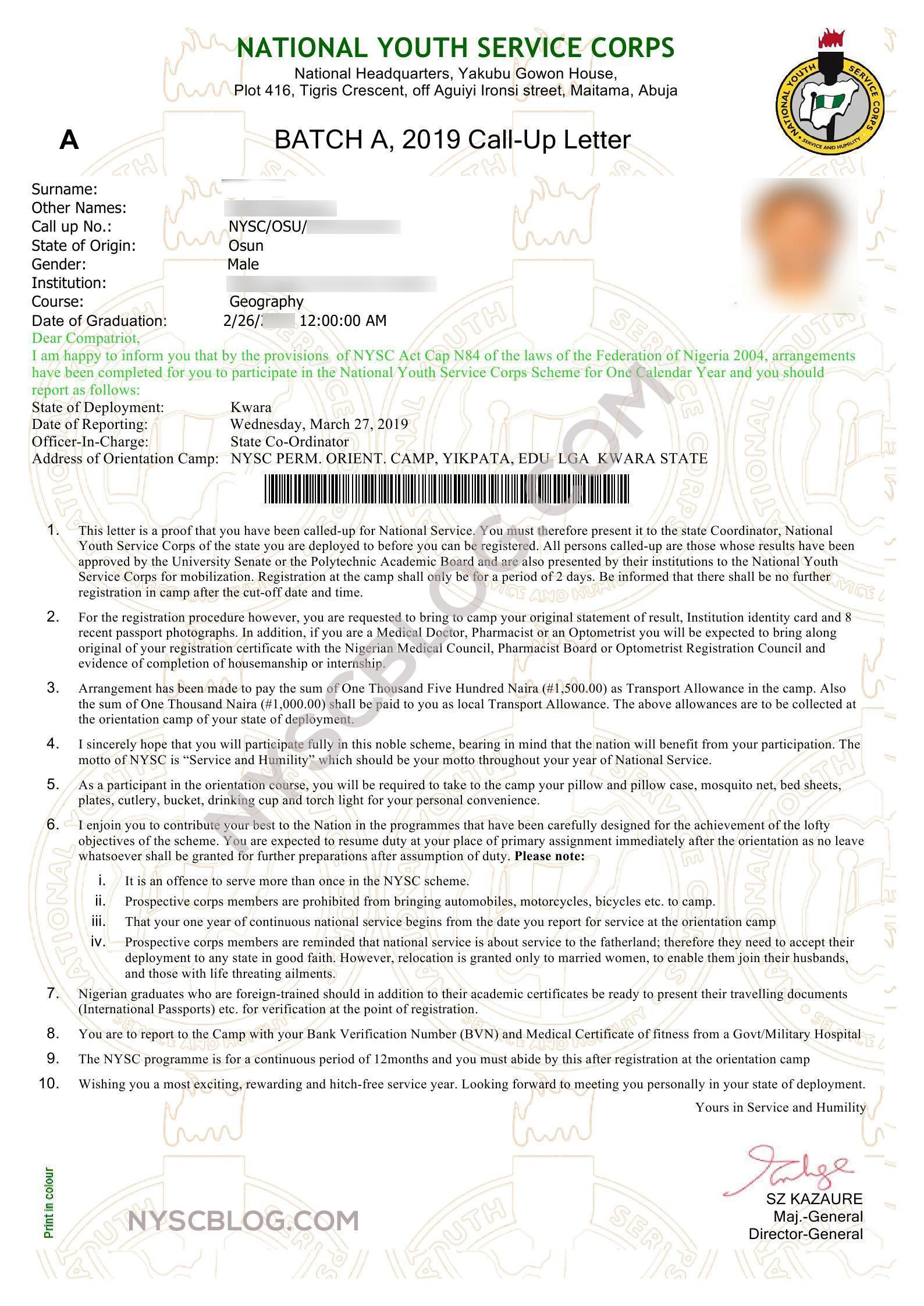
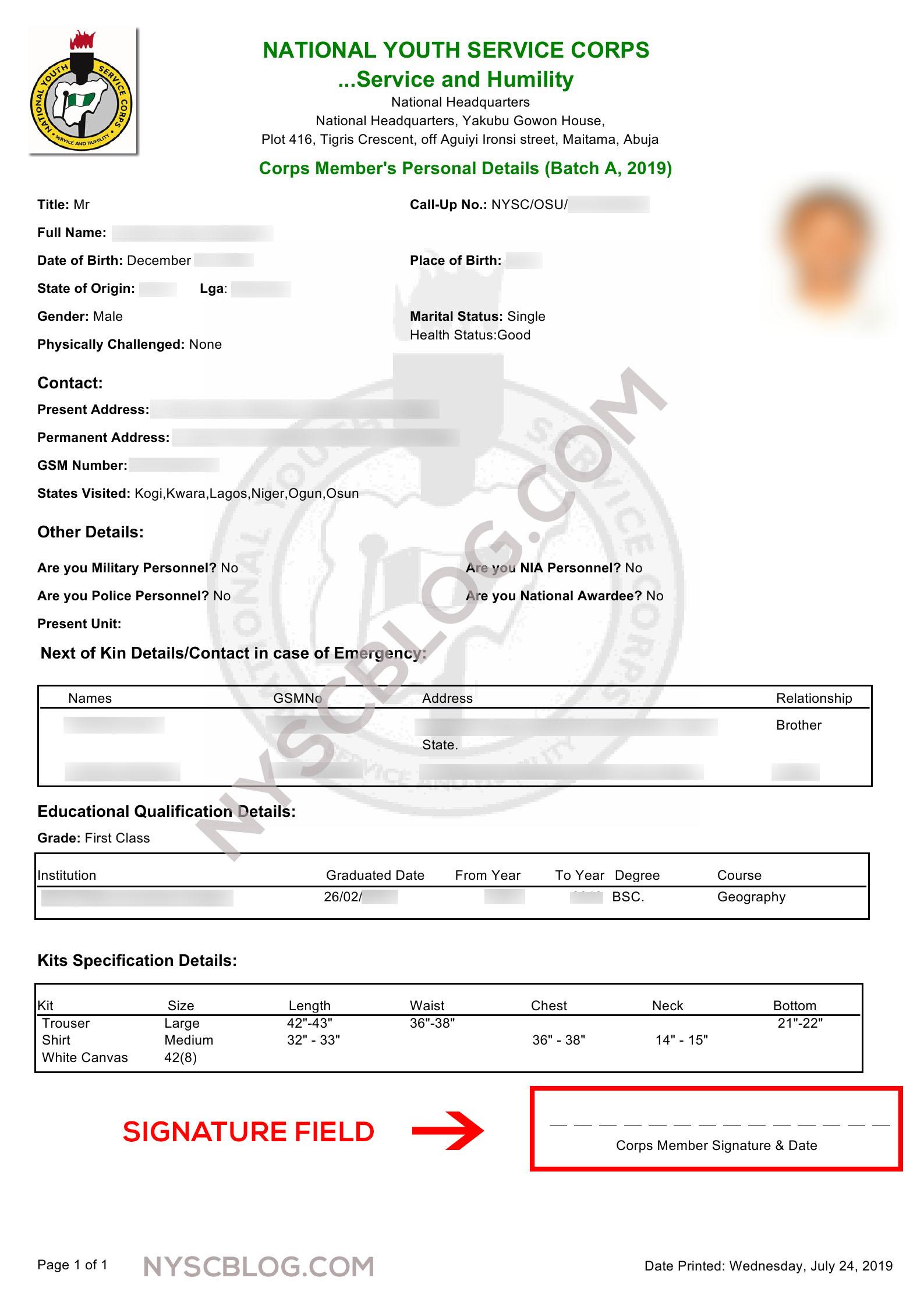
In this guide, we’ll be looking at the difference between the Nysc green card and call up letter in details. We’ll also be showing you how to print these documents in a step by step tutorial.
Difference between Nysc Call up Letter and Green Card
The Nysc Green card is the registration slip. It is the document that consists of all your bio-data information which you filled during the Nysc registration. It is part of the compulsory document all PCMs must present when they get to camp for easy admission into the campground.
The green card entails your Name, Gender, Tel No, Home Address, Next of Kin details, information about your educational background, your kit spec (jacket size, jungle boot size, etc).
The Call-up letter, on the other hand, is the document that certifies you have been deployed to a state for your one year National Service. It also shows the full details about the state you have been deployed to, the address of your orientation camp and instructions about your orientation course.
Without any of these two documents, you can’t do your Nysc. This doesn’t imply that they are the only documents you need for your orientation course. Check out our detailed orientation course guide for full details of the compulsory and optional documents you need to take to camp in pdf format.
How to print your Nysc Green Card
Note that the tutorial was done on a computer but you can also follow the exact same steps on your smartphone. Please use Chrome if you are on Android and Safari on IOS
If you don’t want to watch the video yet or you just prefer text tutorials continue below.
- Log on to the Nysc Portal
- Click on Login Here
- Log in with your credentials (the email and password you registered with)
- On your Dashboard scroll down till you find Print Slip the click on it
- Your Registration Slip aka green card will be downloaded in Pdf format
- Connect your printer then print. You can put the document on your pen drive to be printed at the nearest cyber café if you don’t have a printer.
How to print your Nysc Call up Letter
Note that this tutorial too was made on a computer but you can also follow the exact same steps on your smartphone. Please use Chrome if you are on Android and Safari on IOS
If you don’t want to watch the video yet or you just prefer text tutorials continue below.
- Log on to the Nysc Portal
- Click on Login Here
- Log in with your credentials (the email and password you registered with)
- On your Dashboard scroll down till you find Print Call up Letter the click on it
- Your Registration Slip aka green card will be downloaded in Pdf format
- Connect your printer then print. You can put the document on your pen drive to be printed at the nearest cyber café if you don’t have a printer.
Be sure to leave your questions, thoughts, and suggestions in the comment box. We reply faster than you can recite the Nysc anthem.